
Who is the proofreader?
To understand the proofreading tips, let us know who is the proofreader?
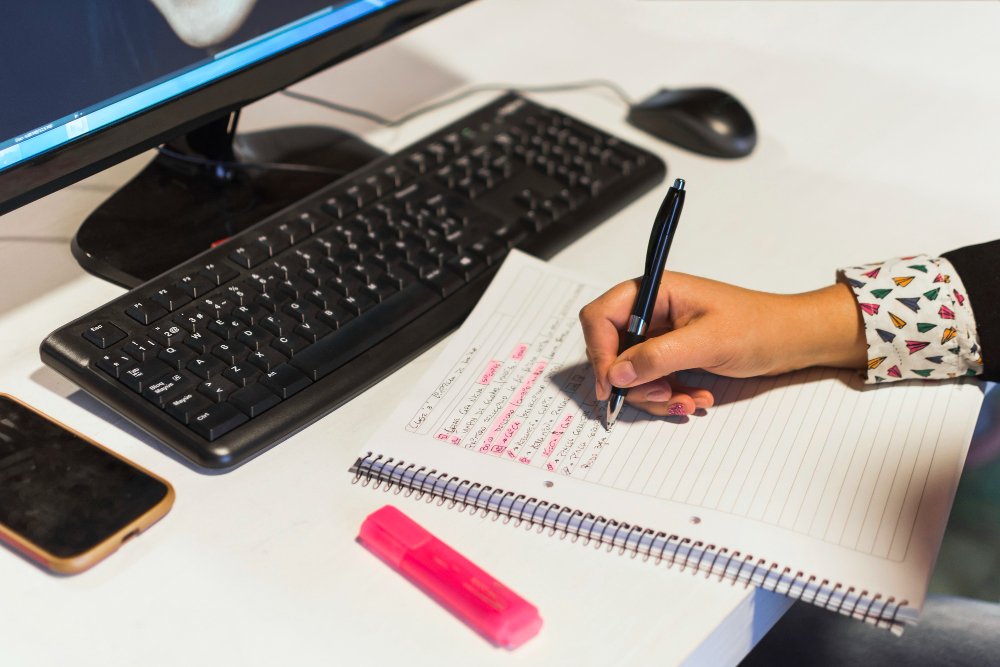
The proofreader combs through the work looking for any inappropriateness. These include punctuation, spelling, spaces, alignment, type font and style, and other minutiae. This can involve comparing the final copy with the final trail print.
Technical writers and Self-proofreading
Proofreading is one of the important skill technical writers must possess to excel in their profession. A good writer with self-proofreading ability are able to churn out accurate, clear, concise, flawless and logically structured document, it’s imperative that you review each word to check for typos, mistakes, context, and tone. Those little details really do matter!
In several projects I had worked as a single writer or freelancer with no peer or editor around, in fact in my current project also I am the sole contributor and in that scenario, I have to proofread my own work, this is when I felt the need of good self-proofreading skill. So did some homework on proofreading and here is the weblog of it.
I asked my friends on LinkedIn Information Developers group and I got some great tips thanks to Altaf Ahmed, San Xu, Carlos and Kranthi Kumar Kandagatla for their insight.
To find out errors, you must know the type of errors that you do commonly. In this post, my main focus is on some common mistakes and methods to reduce them by self-proofing.
Please also keep in the mind there is a difference between editing and proofreading. It is said that we should not do together, but I believe if you have the ability to do it together please go ahead.
The first step I think is you should have a checklist of commonly made mistakes and make sure you do not repeat it again
Go ahead make a checklist. Few entries for checklist currently spilling out from my mind are:
- Spelling mistakes
- Incorrect data
- Incorrect or inconsistent capitalization
- Incorrect Numbering and Heading
- Incorrectly spelled names
- Non-agreement of subject and verb
- Use of passive voice
- Incorrect punctuation
- Incorrect Referencing of illustrations
- Incorrect header and footer
- Reversed numbers like 459 to 495
- Sound similar but have different meanings for words (e.g., except/accept, palette/palate, intense/intensive).
- Wrong use of apostrophes
- Check Cross-references
- Style Guide compliance mistakes. (Mistakes in Fonts, Images, Tables etc)
- Incorrect Index
Now you have a checklist available, but how to find your own writing errors which often occurs just when stress levels are highest and time shortest, writers minds resist identifying them as errors. Under these conditions, you will see only what they want to see because we are often blind to our own mistakes?
Few popular and easy steps which work wonder to many will surely work for you as well.
Allow some time to pass. This is one of the tips which is common to all who responded on Linkedin. Put the work aside for a few days or weeks before beginning the proofreading process.
Read out loud to yourself. This is one of the wonderful tools, try it, you can find your many grammatical mistakes. Reading out loud will help catch missing words. It’s also helpful for determining whether a piece lacks clarity or if phrasing doesn’t sound quite right.
Spell checks this. Spell check your document, the spell checker can do some wonder like:
Identify misspelled words
Find double occurrences of words
Identify double capital letters at the beginning of a word
Identify when a small letter precedes a capital letter
Accommodate additions to the dictionary of unusual words you commonly use
Beware spell check also cannot do many things, Like
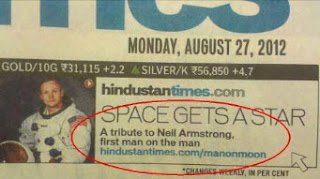
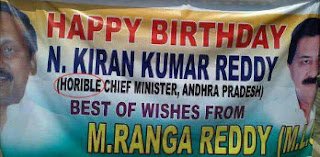
Find typographical errors that appear to be correct
(horrible instead of honorable, be long instead of belong )
Point out grammatical errors
(their instead of they’re, its instead of it’s )
Identify poor sentence sense and syntax
Check all the links and cross references-Click on all the links and cross-references manually, see if they navigate to the proper location and not broken.
Backward to forward-Start with the last paragraph first. Because you’re reading it out of order, you’re more likely to spot the typos and spelling mistakes
Pause before you press Send- Take a long pause before sending the final draft, a pause can vary from hours to days.
Avoid distraction– I personally like to proofread my work without any distraction, you can use a quiet location or earphones, the choice is yours.
Proofread print-This is not eco-friendly and little expensive method as well but one of my close to heart method. A print version is also handy for making notes with a pen, crossing out excess verbiage, and changing vocabulary prior to implementing the corrections in a final version.
Illustration/Screen check-Make sure you have used correct images and screenshots.
——————————————————————
Response from LinkedIn Information Developers Group
Altaf Ahmed • If you meant proofreading of our own work, for errors and bugs in our documents, then I would mention one method that I have learned from one of my projects.
We can do a complete scan of the document for only spell checking, and then repeat the quick scan each time for checking graphics, links, grammar check etc. Though this looks to be a tedious and time-consuming process, however, can provide thorough results with correction of even minute undetected errors.
San Xu • I always think it is best to allow some time between your writing and your proofreading. I proofread in soft copy. I admit though, that hard copies are more effective than soft copies if the writing contains MANY mistakes – this conclusion is drawn from my past experience as an editor.
Kranthi Kumar Kandagatla • I agree to San. A fresh mind works efficiently for proofreading. I always take a day off after I complete a project. Come next day for proofreading. I prefer soft copy.
Carlos Mills, • I also keep a list of commonly misspelt words to run a quick search/replace to save editing time. As we all agree, the writer should take some time off from the document first pass to avoid blind words or to avoid seeing what they are thinking and not what was written.
Do you have some more tips to share? Kindly leave a comment.To know the difference between editing and proofreading.